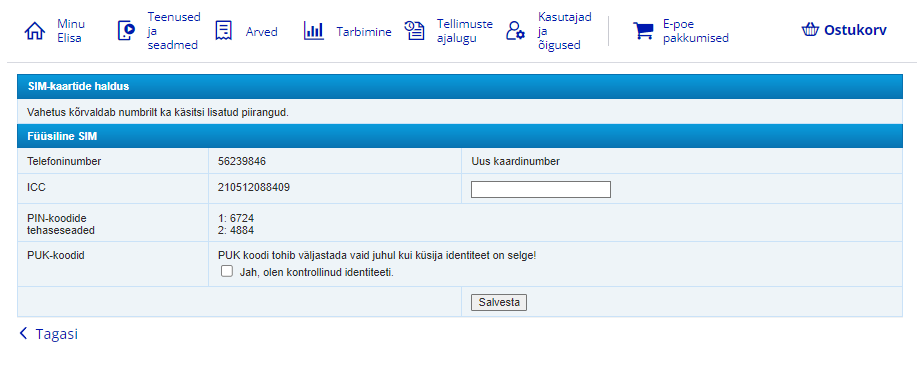
If you have access to multiple customer numbers, select the customer number under which you want to view the PIN and PUK codes for the number.
3.
From the main menu, select “Services and devices”.
4.
Select the mobile number whose SIM card codes you want to see.
5.
Select “SIM card management”.
6.
You can also view your SIM card's PIN and PUK codes on the SIM card holder.
7.
You can set a new PIN code if you have entered the wrong PIN code three times in a row and the SIM card is locked. You can unlock the SIM card with the PUK1 code and then set a new PIN code.
8.
The SIM card PIN and PUK codes and the Mobile-ID service PIN and PUK codes are different.
eSIM PIN and PUK codes
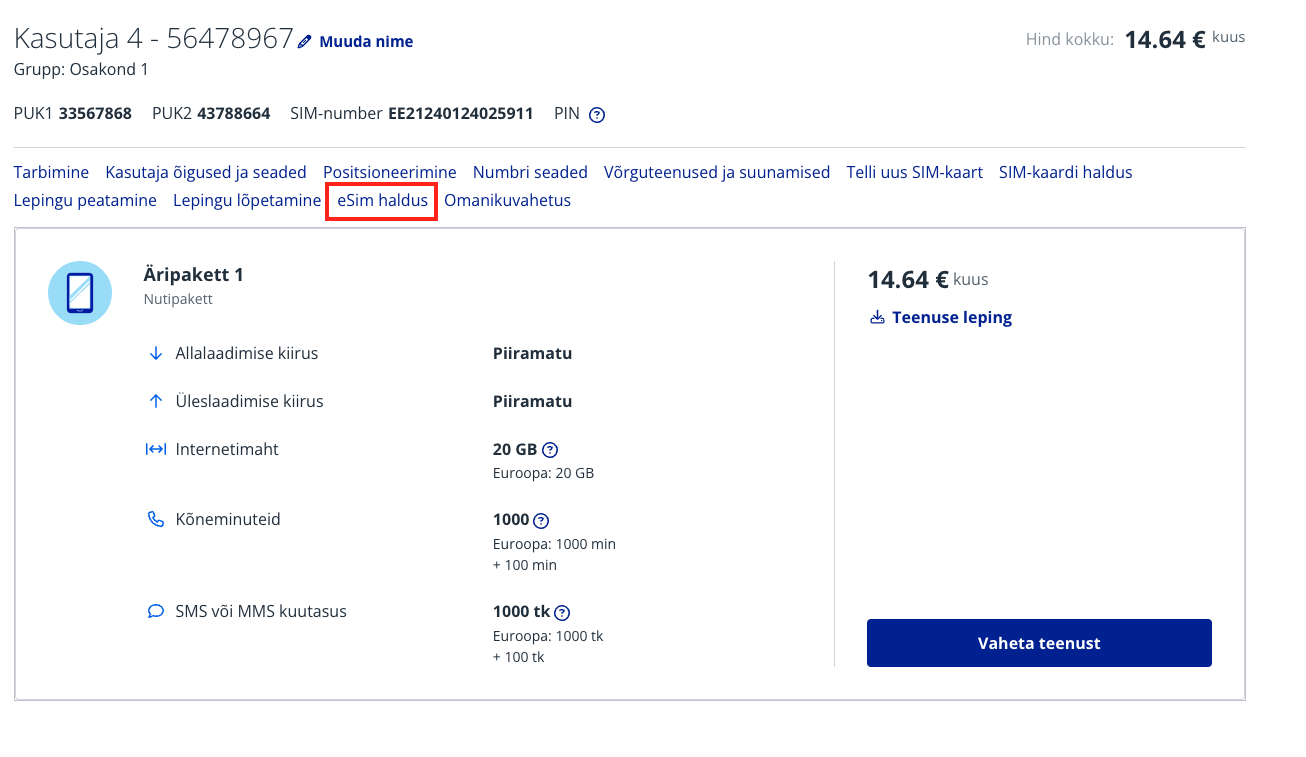
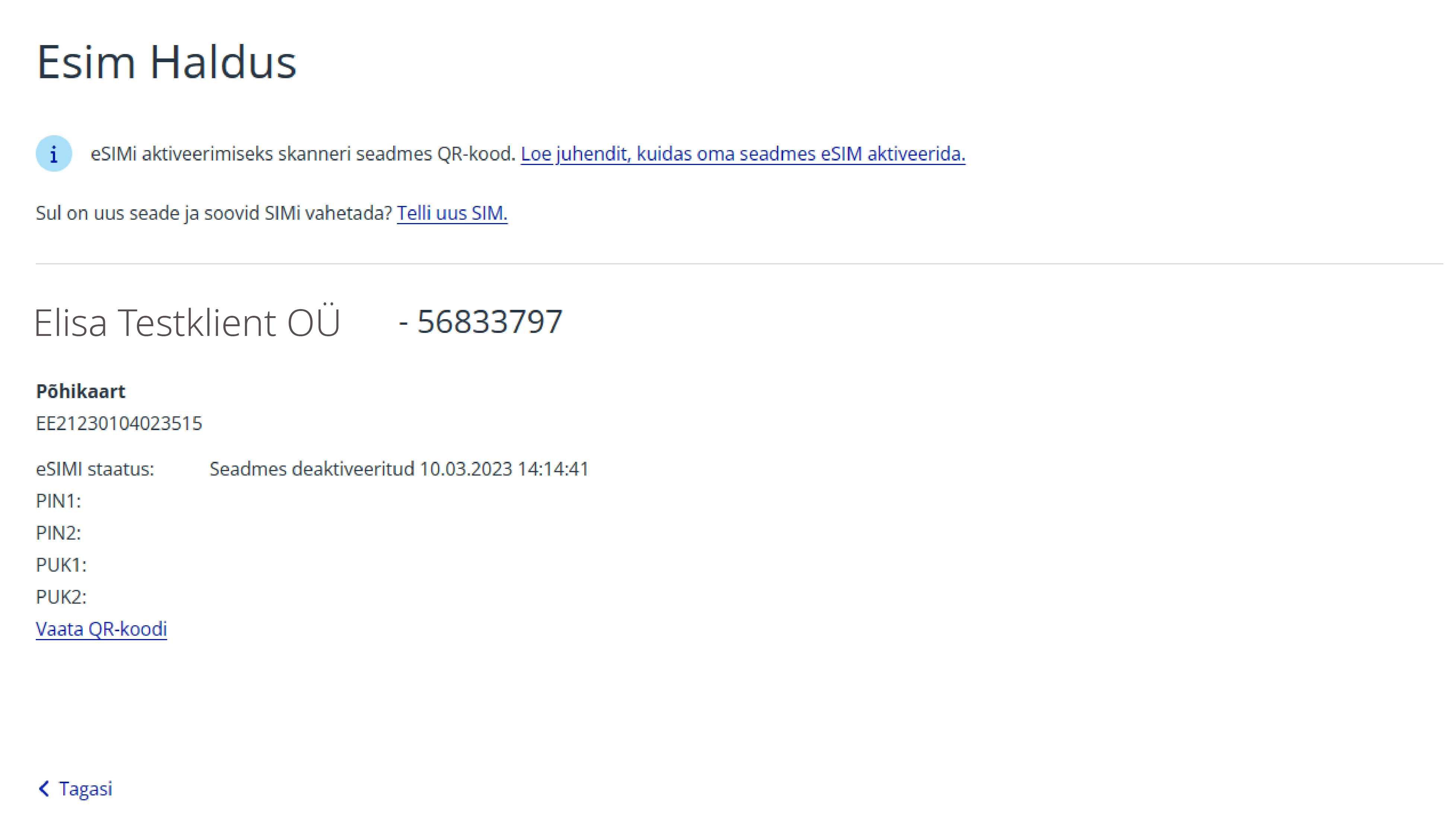
You can find the eSIM PIN and PUK codes in Elisa self-service.
If you have access to multiple customer numbers, select the customer number under which you want to view the eSIM PIN and PUK codes for the number.
3.
From the main menu, select “Services and devices”.
4.
Select the mobile number whose eSIM codes you want to see.
5.
Select “eSim management”.
6.
You can set a new PIN code if you have entered the wrong PIN code three times in a row and the eSIM is locked. You can unlock the eSIM with the PUK1 code and then set a new PIN code.
7.
The eSIM PIN and PUK codes and the Mobile-ID service PIN and PUK codes are different.
Новый Elisa Elamus и Huub
Смотреть
Более старые TV-услуги Подключения до 10.08.2021
Смотреть
Более старую ТВ-услугу можно смотреть в интернете до 31.05.2024. Если Вы хотите продолжать смотреть ТВ в интернете, присоединяйтесь к Elisa Elamus!
Back
Contacts and StoresElisa FIXDevice GuidesPrivate Customer Help CenterBusiness Customer Help CenterAbout ElisaCareersService Terms and Price ListsSustainabilityFor Builders and DevelopersFor CarriersPress Information, Avaneb uues vahekaardis, Avaneb uues vahekaardis, Avaneb uues vahekaardis, Avaneb uues vahekaardisData ProtectionLanguage VersionsCookie SettingsAccessibility All rights reserved 2026 Elisa Eesti AS