If you have access to multiple customer numbers, select the appropriate customer number.
3.
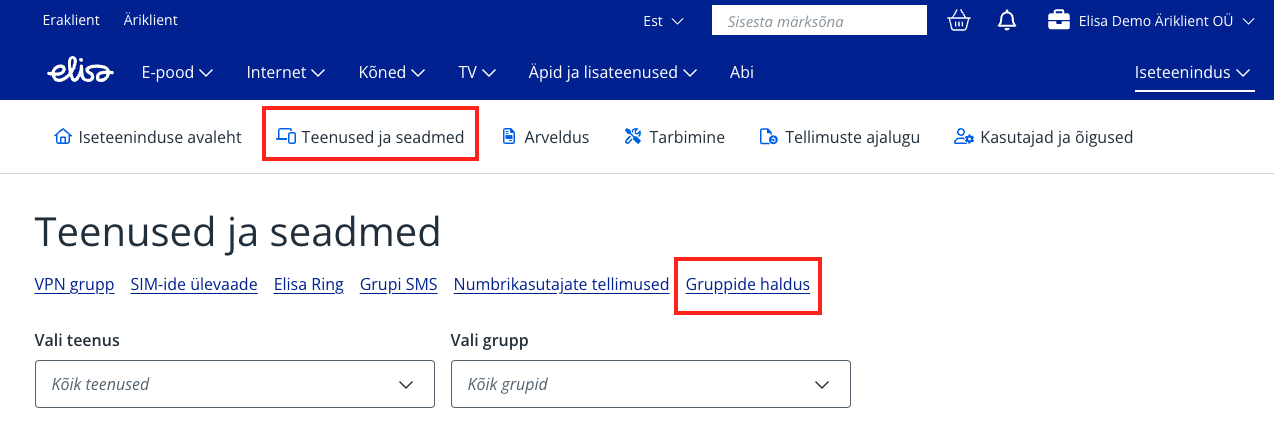
From the main menu, select “Services and devices”.
4.
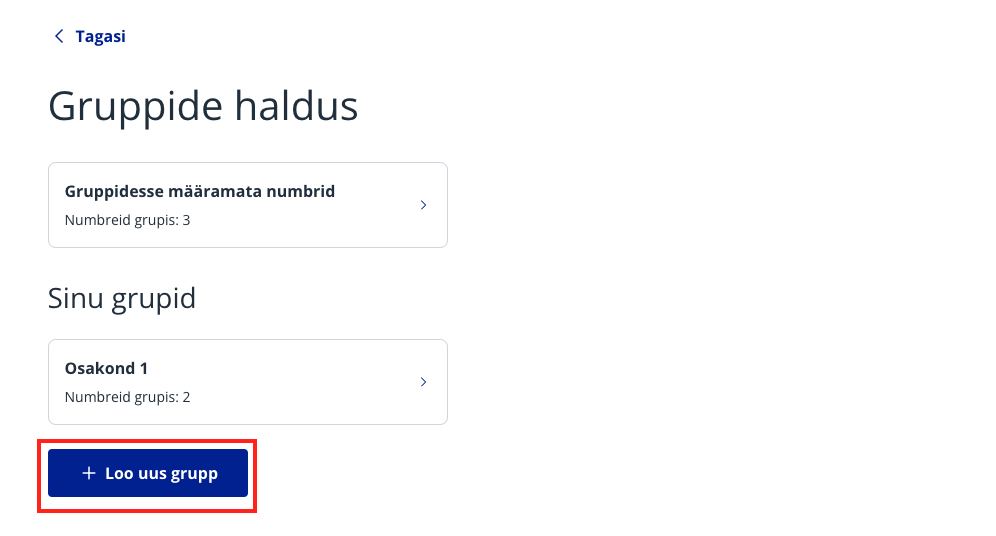
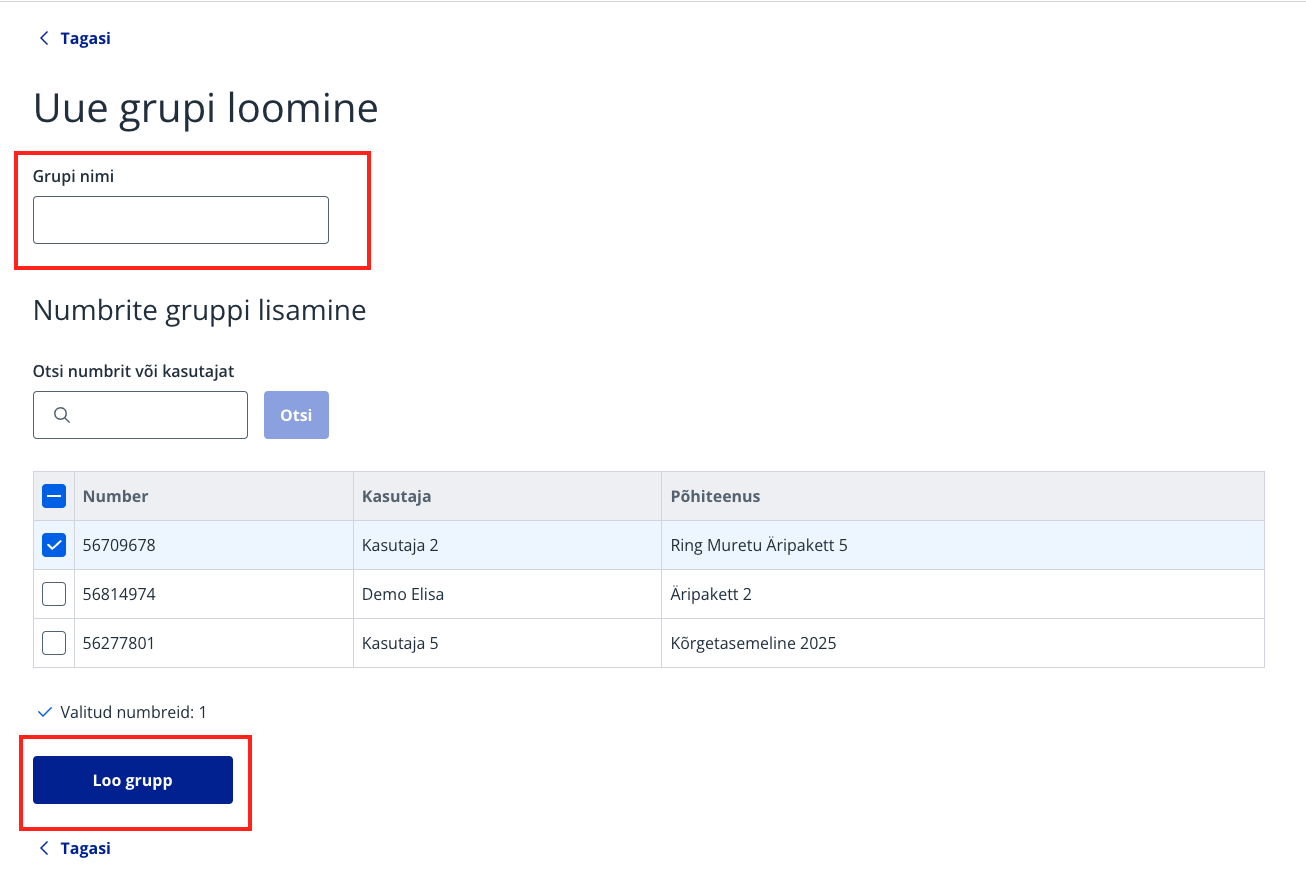
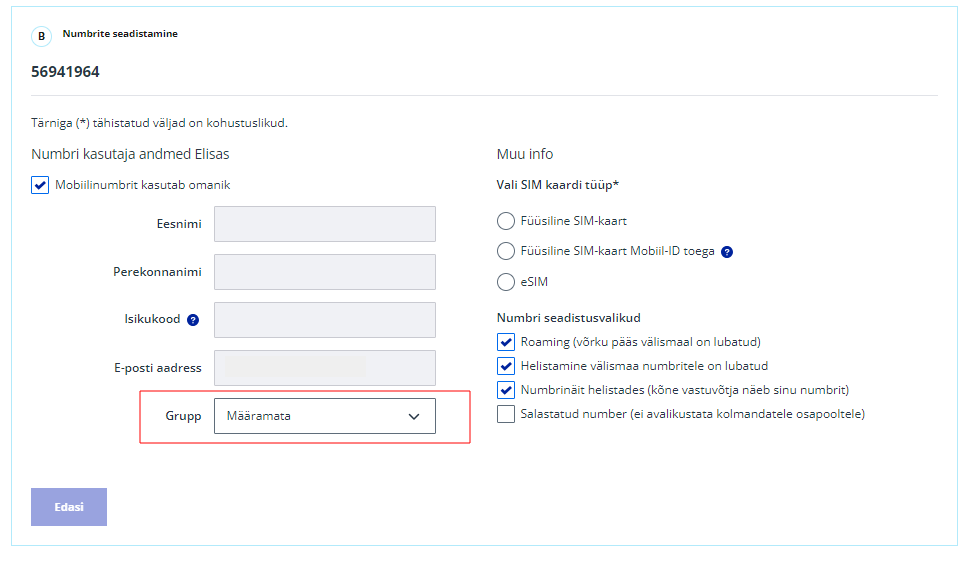
At the top of the page, select "Group management". Groups can be created and managed under "Group management" on the "Services and devices" page. If numbers are not grouped, they belong to unspecified groups. There is no limit to the number of groups, but the group name cannot be longer than 60 characters. When creating a new group, a name is required. Users can be selected all at once or you can choose specific users or numbers.
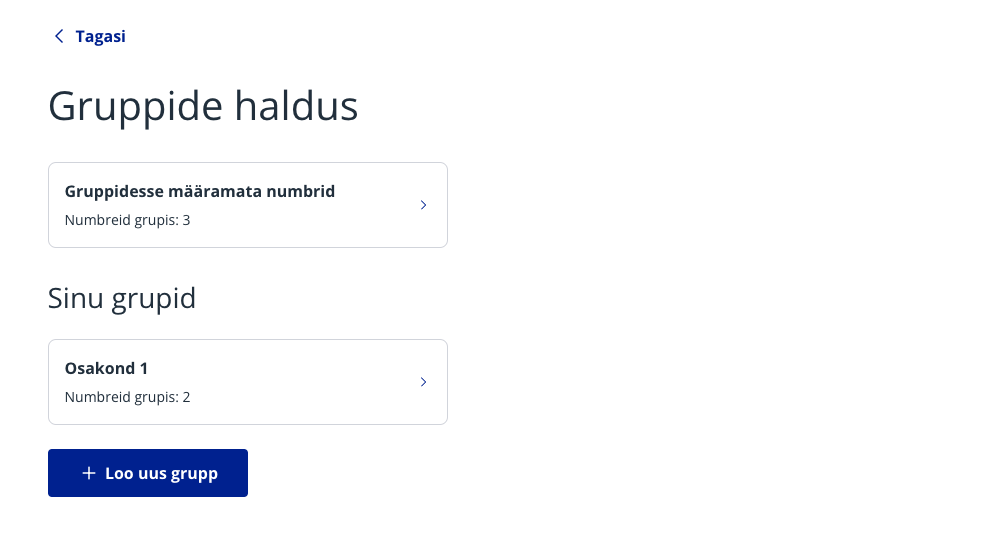
Group management
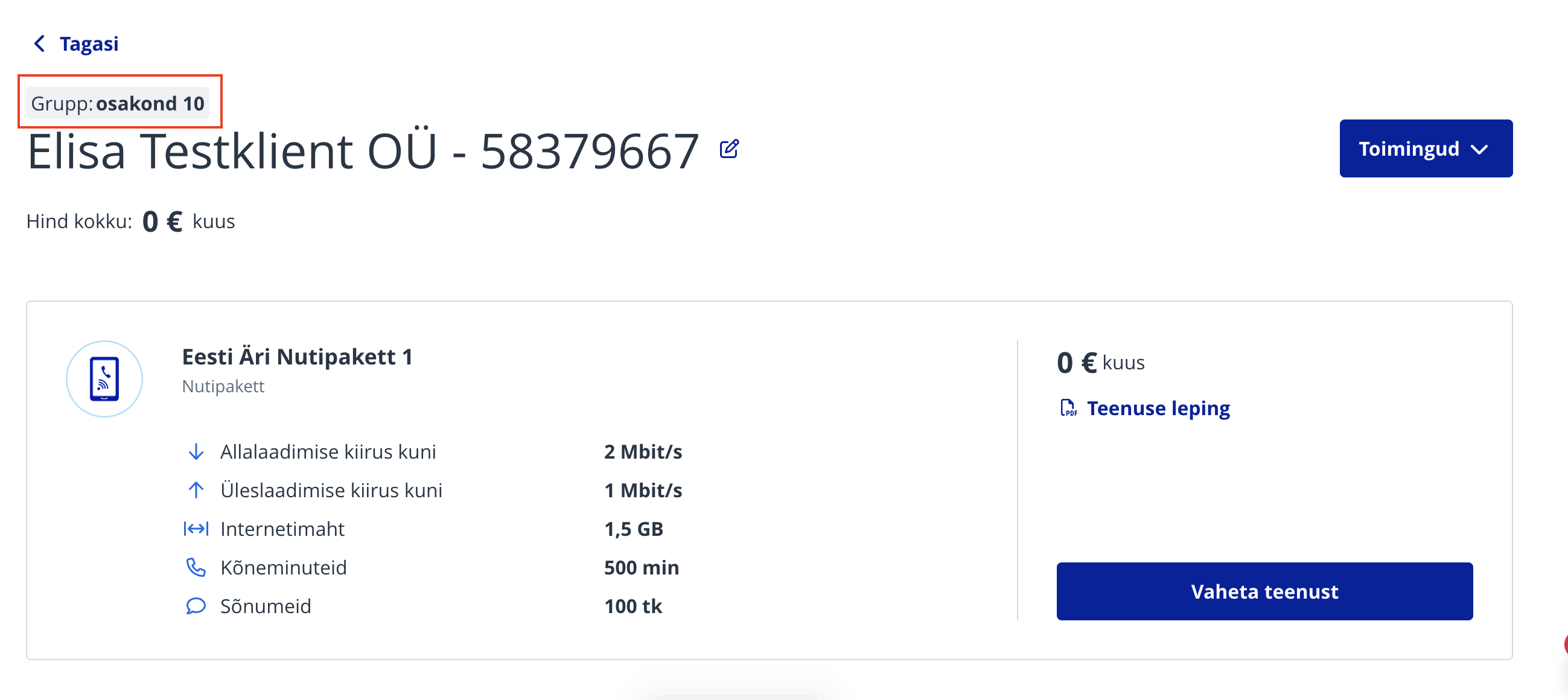
Once groups are created, they can be viewed and managed separately. If the customer already has groups, it is possible to filter them separately by services on the "Services and devices" page. Additionally, a group can be selected during the joining process if groups have been created; if not, the group remains unspecified: The group is also visible in the number's detail view and appears on the invoice:
Новый Elisa Elamus и Huub
Смотреть
Более старые TV-услуги Подключения до 10.08.2021
Смотреть
Более старую ТВ-услугу можно смотреть в интернете до 31.05.2024. Если Вы хотите продолжать смотреть ТВ в интернете, присоединяйтесь к Elisa Elamus!
Back
Contacts and StoresElisa FIXDevice GuidesPrivate Customer Help CenterBusiness Customer Help CenterAbout ElisaCareersService Terms and Price ListsSustainabilityFor Builders and DevelopersFor CarriersPress Information, Avaneb uues vahekaardis, Avaneb uues vahekaardis, Avaneb uues vahekaardis, Avaneb uues vahekaardisData ProtectionLanguage VersionsCookie SettingsAccessibility All rights reserved 2026 Elisa Eesti AS