Ordering a new SIM card is only possible if the active SIM card is not associated with a Mobile-ID contract. For the Mobile-ID service, you must first terminate the service, and after that, you can order a new SIM card. How to order a new SIM card?
If you have access to multiple customer numbers, select the appropriate customer number.
3.
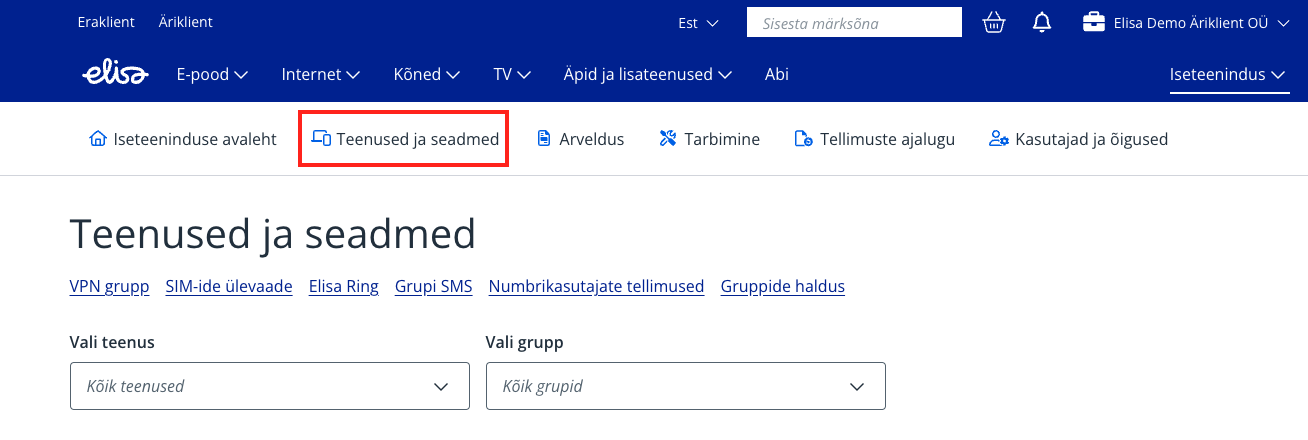
From the main menu, select “Services and devices”.
4.
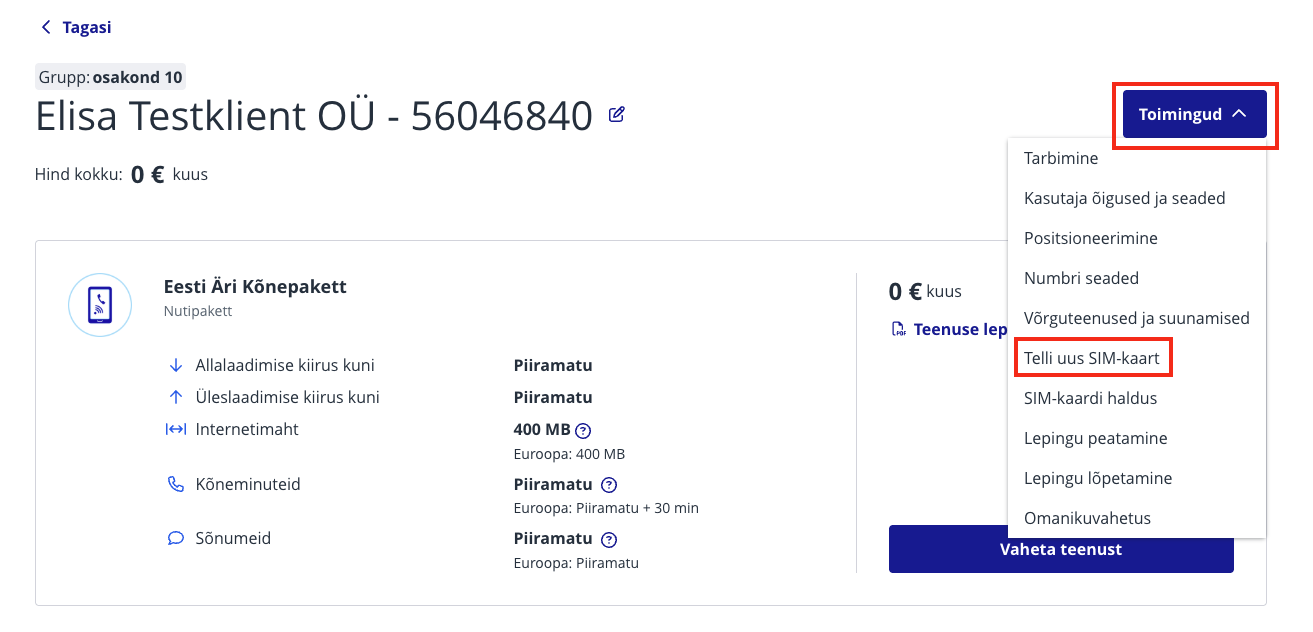
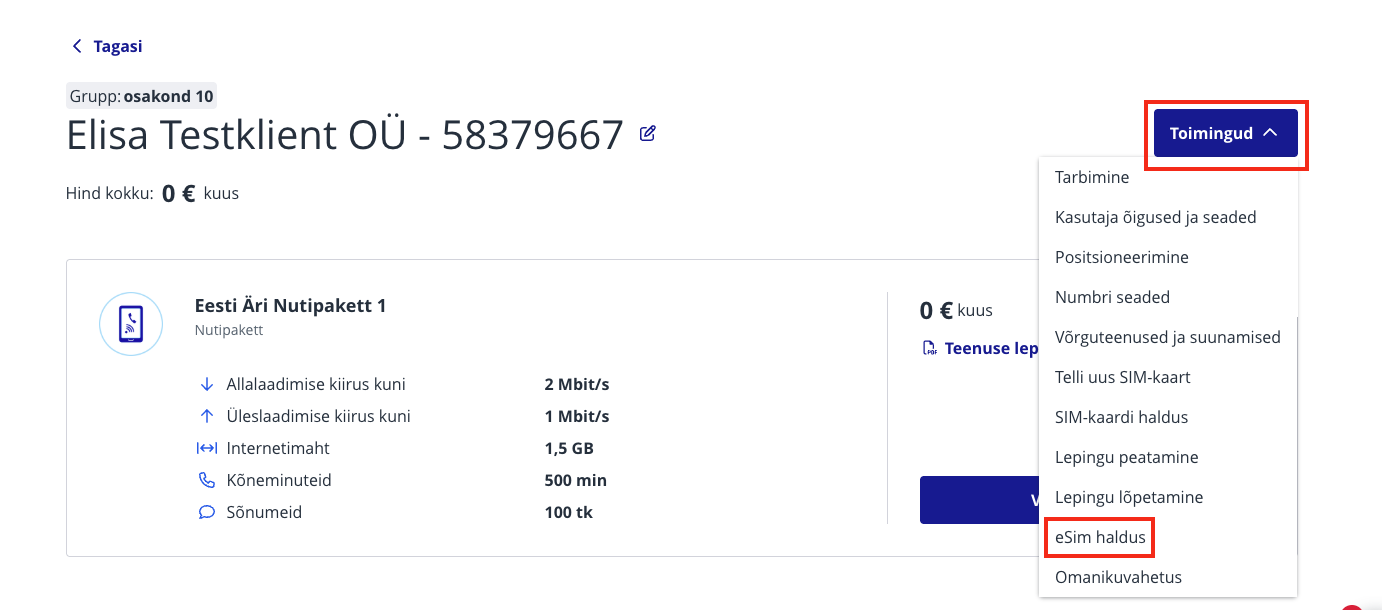
Select the mobile number for which you want to order a new SIM card.
5.
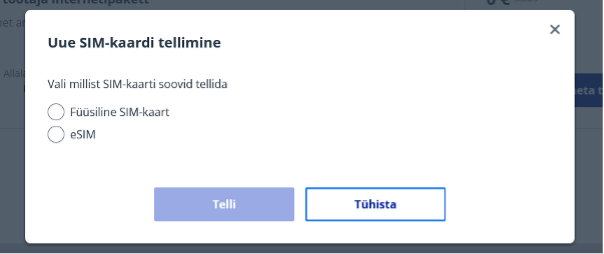
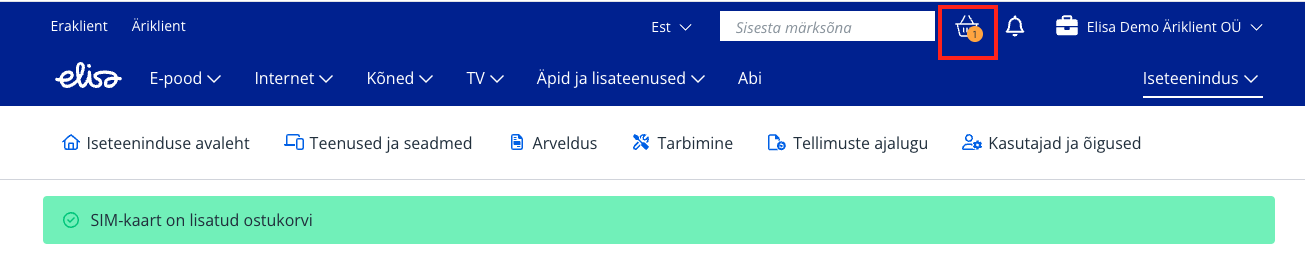
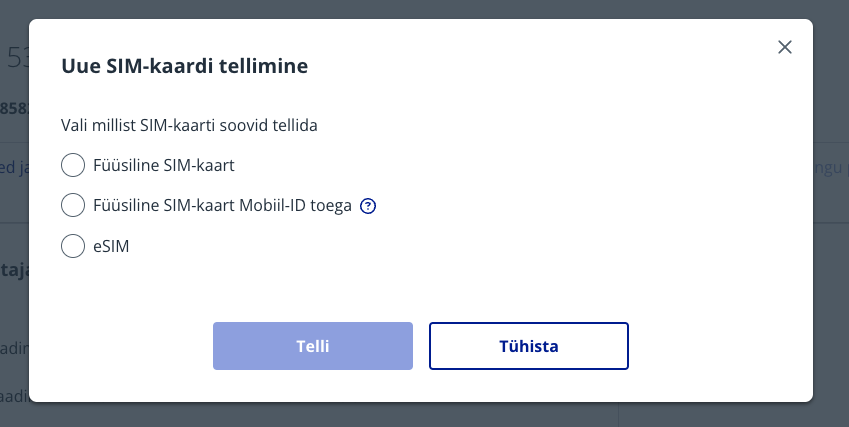
Select “Order a new SIM card”. 6. Choose the desired SIM card type – physical or eSIM, then press “Order”. The order will be added to the shopping cart. 7. Go to the “Shopping cart” and complete the order. 8. The physical SIM card will be delivered to you according to the selected delivery method - parcel machine, courier, or by mail. NB! During the delivery process, the card is not active and needs to be activated upon receipt (see the SIM card activation guide). For eSIM, physical delivery is not required – the eSIM can be downloaded immediately from Self-Service – see the guide Activating eSIM on your phone. For eSIM, the SIM card is active immediately after being loaded onto the device.
If you have access to multiple customer numbers, select the appropriate customer number.
3.
From the main menu, select “Services and devices”.
4.
Select the mobile number whose SIM card you want to replace.
5.
Select “SIM card management”. You can enter the new SIM card number in the window where you see the old SIM card number. Then press the Save button
eSIM
Before ordering an eSIM, make sure your device supports eSIM. If you want to order an eSIM, please contact us via the chat window on our website. An electronic SIM card or eSIM is a virtual SIM card that is loaded onto your device. eSIM allows you to use mobile services. Instead of inserting a physical card, you have the option to install it on your device using a QR code. eSIM replaces the physical SIM card and allows you to use services without a traditional physical SIM card. Good to know!
If the eSIM profile is deleted from the phone (e.g., during a factory reset), you can set up the eSIM again on the same device.
If you use eSIM in a smartwatch but want to use the same number for calls as on your phone, first activate the MultiSIM service.
If the device associated with the eSIM needs repair, you must use a new SIM card during the repair. After returning the device, you can reload the same eSIM profile onto the phone (you will need a voucher with a QR code for this).
eSIM does not support Mobile-ID. To use Mobile-ID, you need a physical SIM card. However, you can use eSIM as an additional card.
eSIM works in only one device at a time. If you have already activated the eSIM on one device, you cannot use the same eSIM on another device.
Switching operators is not faster with eSIM than with a regular SIM card.
Devices that support eSIM
The offered eSIM uses new technology suitable for 5G devices, which may not work on older devices that support eSIM.
Samsung Galaxy Z Fold 2 and older phones of the same series
Samsung Galaxy Z Flip 5G and older phones of the same series
Samsung Galaxy Note20 and older phones of the same series
Samsung Galaxy S21 and older phones of the same series
iPhone 11 series and older phones of the same series
There may also be issues with older Huawei and OnePlus models If you want to use eSIM on such a device, please contact Elisa customer service for a more precise solution. Apple watches (MultiSIM support)
Apple Watch Series 4 + Cellular and newer
Apple Watch Ultra + Cellular
Apple Watch SE 2nd Gen + Cellular Samsung watches (MultiSIM support)
Samsung Galaxy Watch 3 LTE and newer
Samsung Galaxy Watch Active 2 LTE Huawei watches (MultiSIM support)
HUAWEI Watch 3 and newer Other manufacturers (MultiSIM support)
Consult customer support
Activating eSIM on your phone
Activating eSIM on your phone requires:
Internet connection;
Preferably the latest software on your phone;
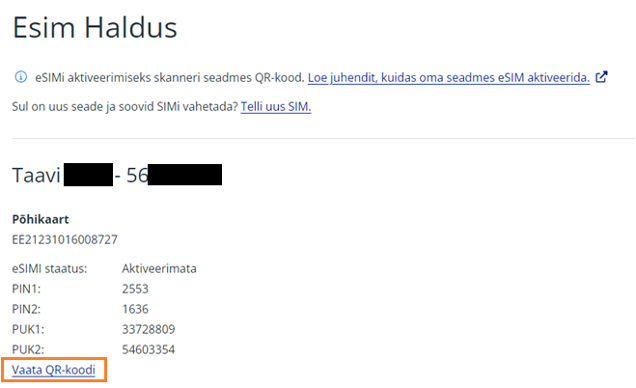
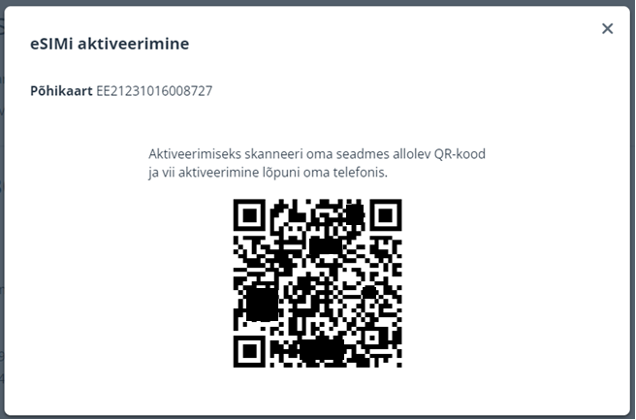
A QR code required to load the eSIM profile. The QR code required to load the eSIM is available in Elisa Self-Service:
Более старую ТВ-услугу можно смотреть в интернете до 31.05.2024. Если Вы хотите продолжать смотреть ТВ в интернете, присоединяйтесь к Elisa Elamus!
Back
Contacts and StoresElisa FIXDevice GuidesPrivate Customer Help CenterBusiness Customer Help CenterAbout ElisaCareersService Terms and Price ListsSustainabilityFor Builders and DevelopersFor CarriersPress Information, Avaneb uues vahekaardis, Avaneb uues vahekaardis, Avaneb uues vahekaardis, Avaneb uues vahekaardisData ProtectionLanguage VersionsCookie SettingsAccessibility All rights reserved 2026 Elisa Eesti AS