VoLTE, or Voice over LTE, and VoWiFi, or Voice over WiFi, are voice call technologies that allow mobile calls over LTE (4G) and WiFi networks. It is also possible to smoothly transfer a VoLTE or WiFi call to a 3G or 2G call. On newer devices, VoLTE/VoWiFi support is listed under the device parameters in the online store.
How to enable VoLTE on a smartphone?
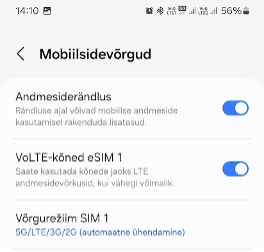
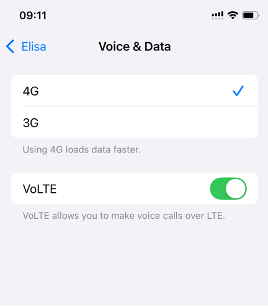
VoLTE (Voice over LTE) That is, LTE (4G) calling is a voice call technology over the LTE network intended for data transmission. When LTE coverage weakens, the call is smoothly transferred to the 3G network. To make VoLTE calls, a device that supports this service is required. On newer supported devices, VoLTE is automatically enabled and you do not need/cannot manually turn it on or off in the device settings. Android Settings > Connections > Mobile Networks iOS Settings > Mobile Service > SIMs (select SIM) > Voice & Data
How to know if my phone is registered for VoLTE?
On most phone models, the following icon appears on the status bar when VoLTE is registered: It is also displayed on the phone screen during a call and later in the call log as a corresponding VoLTE or LTE call indicator. Different phone manufacturers' models may display VoLTE differently on the phone screen, e.g., Sony and Apple phones do not show the VoLTE icon. You can check VoLTE registration by making a call and observing whether the phone remains on the LTE network.
How to enable VoWiFi?
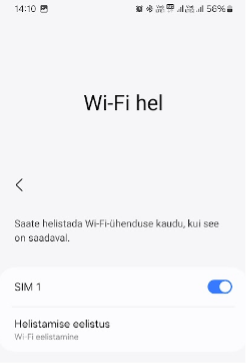
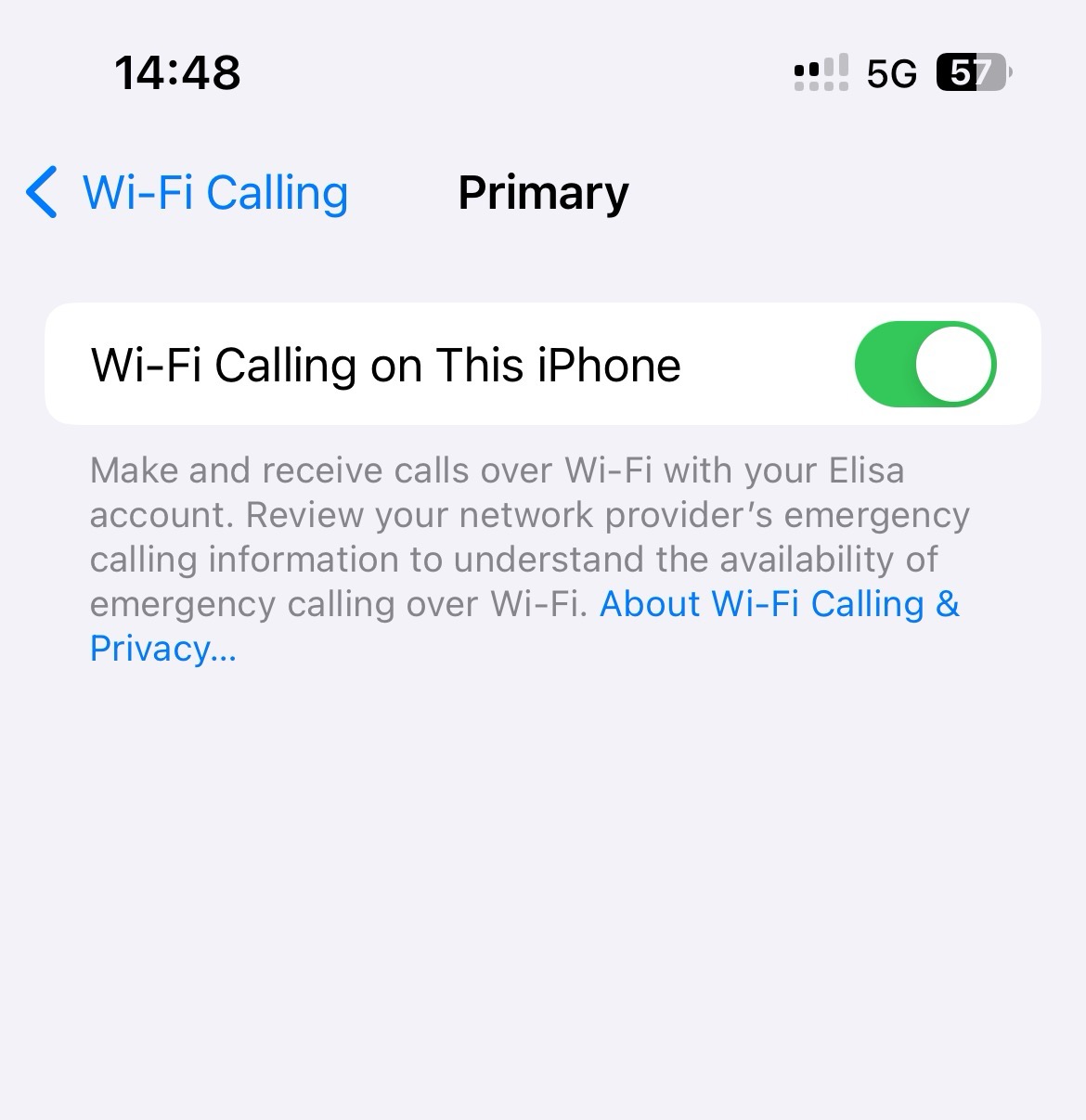
VoWiFi (Voice over WiFi) or WiFi calling is a voice call technology over a WiFi network with internet access. VoWiFi works on any WiFi network with standard settings. To make VoWiFi calls, a device that supports this service is required. All Elisa business customer mobile packages include the VoWiFi add-on service. If these conditions are met, VoWiFi can be enabled or disabled in the phone settings. Android Settings > Connections > Mobile Networks iOS Settings > Mobile Service > SIMs (select SIM) > Voice & Data
How to know if my phone is registered for VoWiFi?
On most phone models, the following icon appears on the status bar when VoWiFi is registered: *iOS phones do not display the VoWiFi icon. It is also displayed on the phone screen during a call and later in the call log as a similar indicator. Different phone manufacturers' models may display VoWiFi services differently on the phone screen.
Новый Elisa Elamus и Huub
Смотреть
Более старые TV-услуги Подключения до 10.08.2021
Смотреть
Более старую ТВ-услугу можно смотреть в интернете до 31.05.2024. Если Вы хотите продолжать смотреть ТВ в интернете, присоединяйтесь к Elisa Elamus!
Back
Contacts and StoresElisa FIXDevice GuidesPrivate Customer Help CenterBusiness Customer Help CenterAbout ElisaCareersService Terms and Price ListsSustainabilityFor Builders and DevelopersFor CarriersPress Information, Avaneb uues vahekaardis, Avaneb uues vahekaardis, Avaneb uues vahekaardis, Avaneb uues vahekaardisData ProtectionLanguage VersionsCookie SettingsAccessibility All rights reserved 2026 Elisa Eesti AS